Appearance Elements FACE
Ideas for description:
Eyes Shape:
almond shaped, round, hooded, narrow, deep set
Eyes Size:
large, small, wide, narrow
Eyes Color:
icy blue, warm hazel, charcoal brown, moss green
Eyes Expression:
sharp, tired, curious, mischievous, distant
Eyes Other details:
long lashes, heavy lids, crow’s feet, bright, glassy, piercing
Nose Shape:
straight, aquiline, button, hooked, upturned, broad
Nose Size:
petite, prominent, narrow, wide
Nose Bridge:
high, low, smooth, bumpy
Nose Tip:
rounded, pointed, soft
Lips & Mouth Shape:
heart shaped, full, thin, bow shaped
Lips & Mouth Texture:
smooth, chapped, soft
Lips & Mouth Expression:
smile, frown, tight, relaxed, smirking, warm
Jawline:
sharp, square, rounded, soft, angular
Chin:
pointed, cleft, rounded, strong
Skin Texture:
smooth, freckled, weathered, glowing, matte
Skin Details:
scars, moles, dimples, redness, freckles
Ears Shape:
small, large, rounded, prominent, tucked
Ears Details:
attached/detached lobes, piercings
Hair Texture:
straight, wavy, curly, coiled, bixie cut, short bob, braids
Hair Length:
buzz cut, cropped, shoulder length, long
Hair Color:
jet black, sandy blond, copper, silver
Hair Style:
messy, sleek, tousled, braided
Facial Hair Style:
full beard, short boxed beard, long beard, ducktail beard, garibaldi, bandholz, goatee, circle beard, van dyke, soul patch, chin strap, balbo
Facial Hair Mustache:
chevron, handle bar, horseshoe, pencil mustache, walrus, english mustache, angular cut, curl, bison mustache, broad sweep, hussar mustache, conquistador, corporate trim
Facial Hair Hybrid Styles:
stubble (light, medium, heavy), mutton chops, anchor beard, imperial, french fork, old duch, verdi, spartan beard, wolverine
Accessories Tattoo:
dragon, rabbit, flower, symbol, cross
Accessories Glasses:
rounded, oval, classic, square, orange lenses, cat eye, rectangle, aviator
Accessories Hat:
military, baseball cap, bucket, cowboy, fedora, straw hat, mexican hat, beanie
Accessories Earrings:
stud, ear spike, huggie, hoop, teardrop, drop, threader, chandelier
Accessories Piercings:
tongue, nose, lips, ears, eyebrow, nose bridge, cheeks, ring, stud
Appearance Elements BODY
Ideas for description:
Proportions:
compact, strong, broad, slim, balanced, heavy, soft, rounded
Size:
wide, fat, large, small, narrow, skinny, stocky
Height:
tall, average, short, medium, very tall, very short
Build:
lean, athletic, muscular, skinny, small/large frame, average, curvy, stocky
Expression:
sharp, tired, curious, mischievous, distant, emotional, happy, angry, fearful, sad, disgusted
Neck Length:
short, long, average
Neck Thickness:
slim, medium, thick
Neck Posture:
forward tilt, upward lift, neutral
Shoulder Width:
narrow, broad, average
Shoulder Slope:
steep, square, moderate, strong
Shoulder Muscles:
minimal, moderate, high definition, muscular, very muscular
Upper Torso:
use shallow, deep, broad, large, medium, small for ribcage, chest, back
Lower Torso:
use large, medium, small for waist, abdomen, lower back, hips
Variations:
muscular, slim, athletic, stocky, soft
Upper Arm:
use slim, thick, large, medium, small, short, long for deltoid, biceps, triceps
Forearm:
use slim, thick, large, medium, small, short, long for elbow, forearm
Variations:
muscular, slim, athletic, stocky, soft, relaxed, tensed, power, open, crossed
Palm:
slim, thick, large, medium, small
Fingers:
slim, thick, large, medium, small, short, long, thin
Nails:
long, short, neat, dirty, painted, extensions
Variations:
muscular, slim, athletic, stocky, soft
Thigh And Lower Leg:
thick, large, medium, small, short, long, thin
Knees:
thick, large, medium, small, thin, bulky
Feet:
slim, thick, large, medium, small, short, long
Variations:
muscular, slim, athletic, stocky, soft, linear, power, crossed
Posture:
relaxed, tense, defensive, friendly, open, closed, calm, stressed, alert, slouched, forward lean, back lean, casual
Appearance Elements STYLE
Ideas for description:
Casual:
t-shirt, graphic t-shirt, joggers, jeans, hoodie, leggings, running pants, sweaters, hat, jacket, polo shirt, embroidered, washed, frayed, leather, vest, winter coat
Formal:
suit, dress, gown, pants, dress shirt, tie, bow, blazers, chinos, blouse, button-downs, pleated skirts
Shoes:
loafers, sneakers, running shoes, high-tops, slip-ons, crogs, uggs, ballet flats, loafers, moccasins, sandals, flip-flops, martens, boots, dress shoes, oxfords, derbies, brogues, heels, stilettos, thick sole, mary janes, rounded toe, pumps, hiking, work boots, cleats, techwear sneakers, cyber boots, holographic, knee high boots, converse, high tops, fashion high-tops, platform high-tops, themed
Style:
casual, formal, business, streetwear, athletic, minimalist, bohemian, gothic, vintage, retro, preppy, cyberpunk, techwear, army, pockets, neon wave, glow, futuristic
Glasses:
rounded, oval, classic, square, orange lenses, cat eye, rectangle, aviator
Hat:
military, baseball cap, bucket, cowboy, fedora, straw hat, mexican hat, beanie
Examples
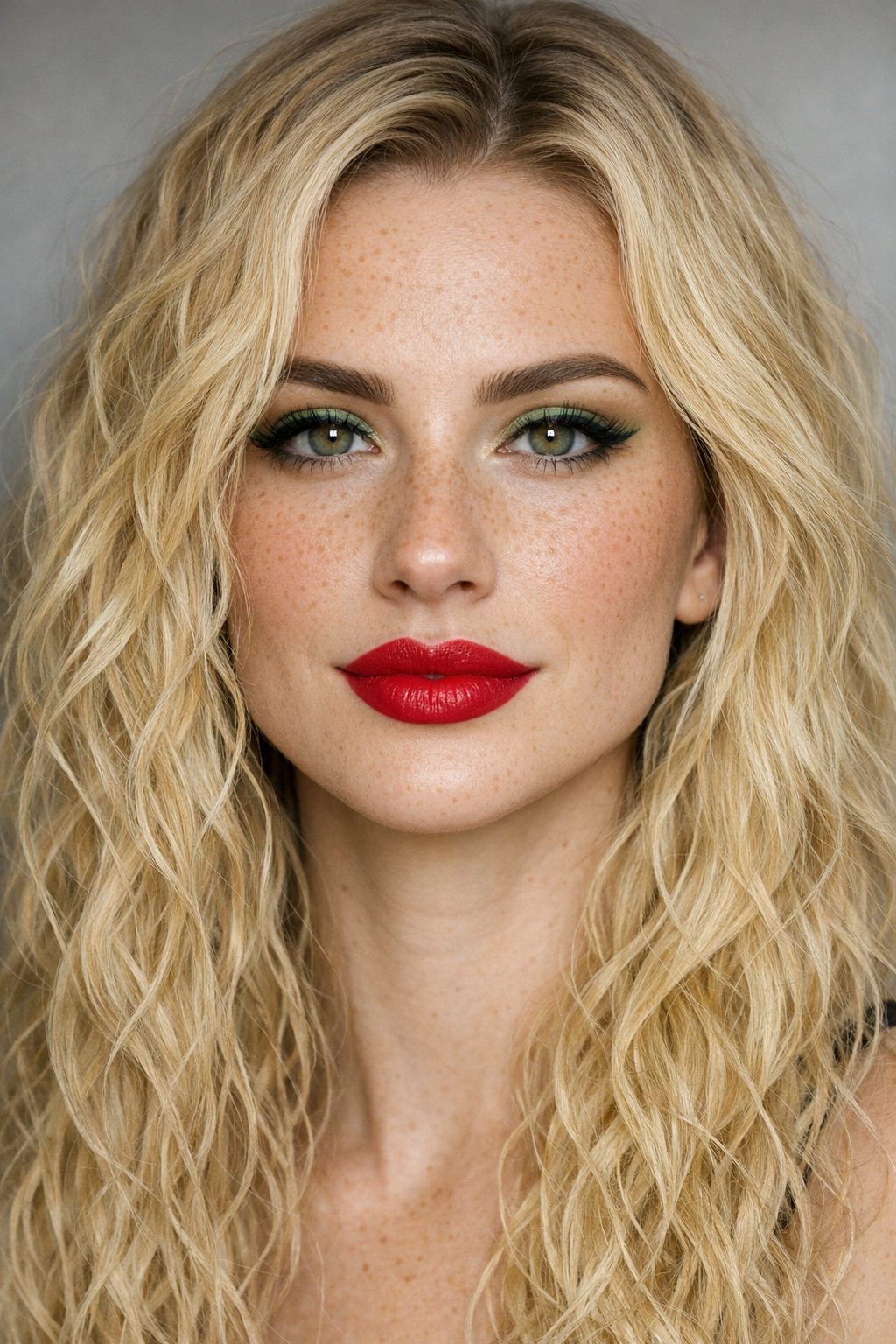
Create a caucasian female with realistic human face avatar with following facial features a balanced, symmetrical face with a defined jawline and smooth, angular contours, the cheekbones sit high and clean add freckles with long blond textured curly waves hairstyle and green eyes with long eyelashes and thick eyebrows rich red lips and bigger nose with subtle green makeup accents
Result:
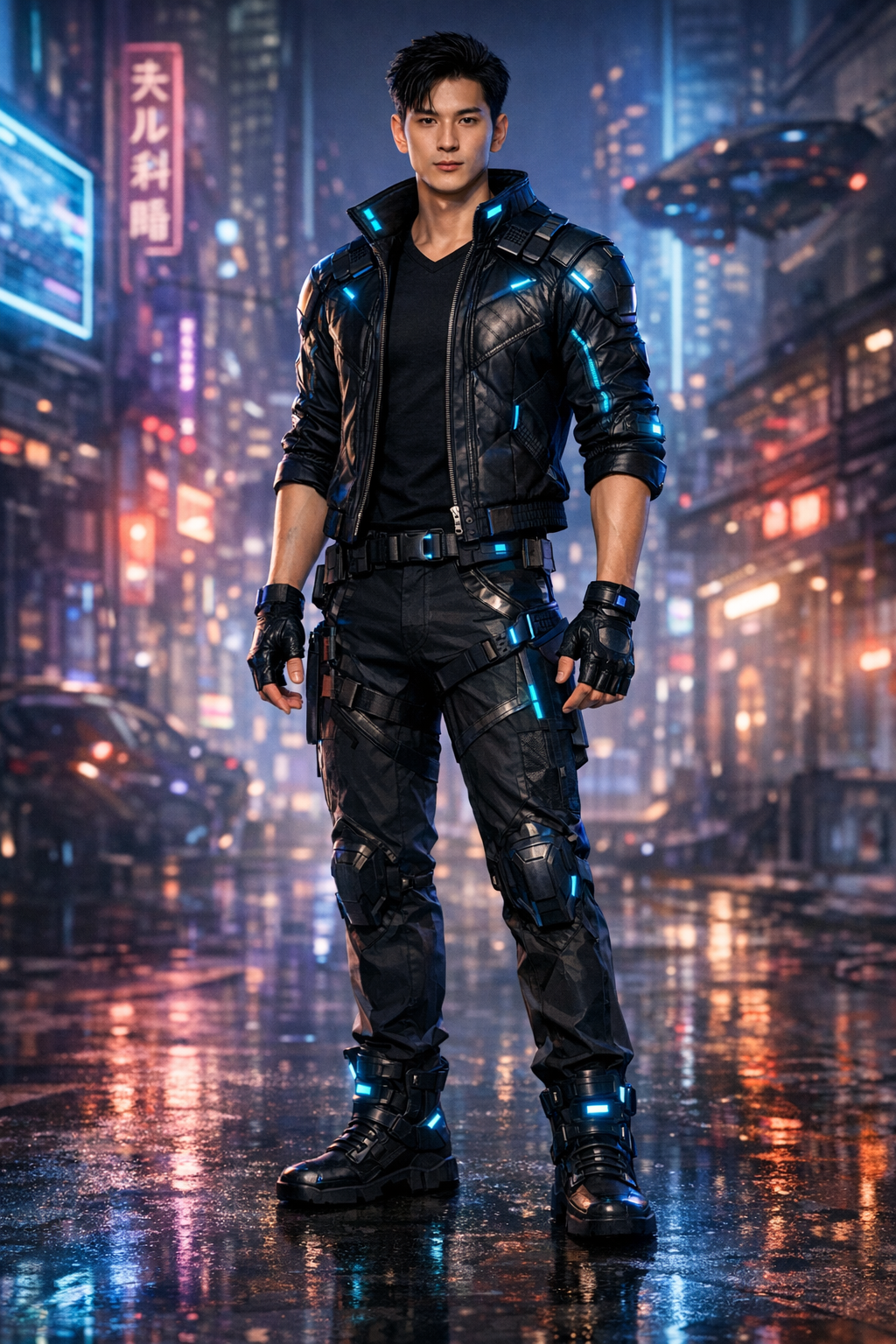
Create a full body asian male semi realistic avatar with cyberpunk themed that emphasize lean, athletic proportions and composed posture with a slightly stylized finish, Balanced V shaped torso with clean, proportional muscle definition, Relaxed yet squared shoulders, upright spine, and level head long, efficient limbs suggesting agility
Result:
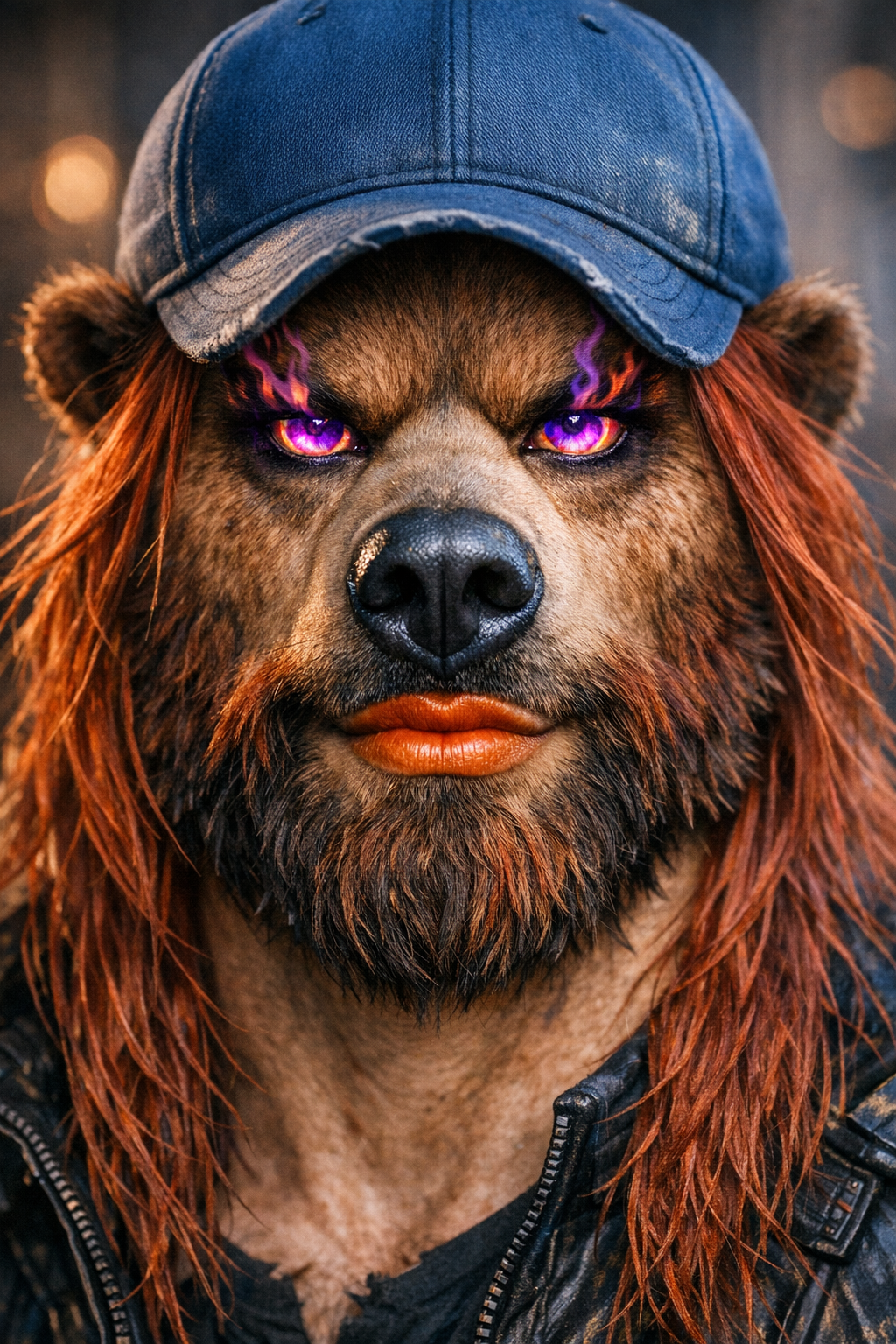
Create a bear and human fusion face avatar with following facial features a wolverine beard with long red coloured hairstyle and large flaming purple eyes rich orange lips and huge nose with a blue baseball cap
Result:
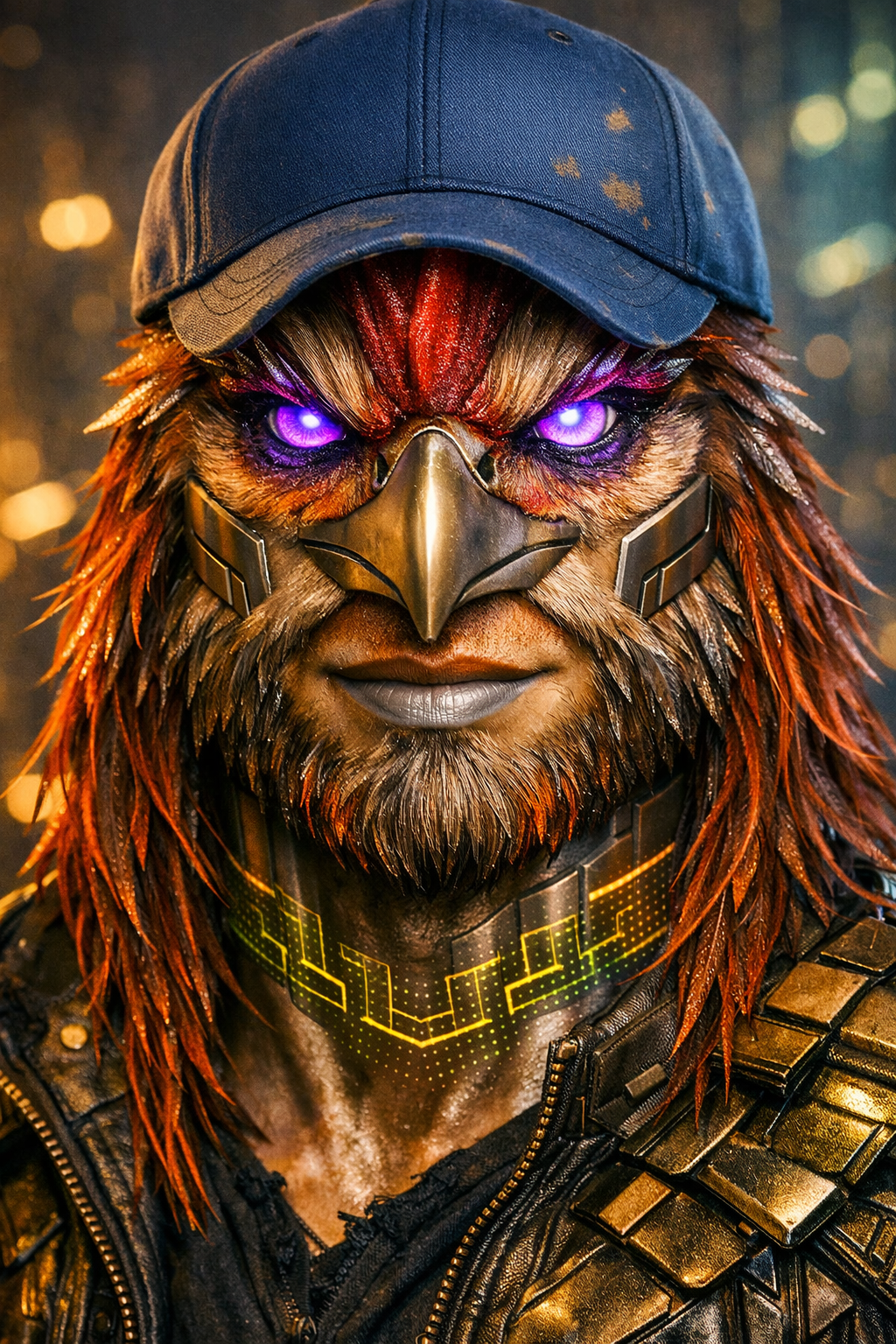
A little more complex avatar design idea generated by Copilot...
Generate an avatar a semi realistic humanoid figure fusing avian and human anatomy. The face combines a rooster’s proud structure with human intelligence a strong beak like nose, angular cheekbones, and subtle feather textures replacing fur. The wolverine style beard morphs into fine, metallic plumage that glows faintly at the edges, transitioning into red orange strands that pulse like heated circuitry. The eyes blaze with violet fire, now framed by feathered ridges that shimmer with iridescent hues. The blue baseball cap remains a symbol of grounded confidence perched atop a head where feathers and synthetic fibers merge seamlessly. The skin alternates between smooth, bronze metal panels and soft feather gradients, suggesting evolution through bio engineering. Around the neck, holographic tattoos form geometric wing like patterns in moss green and copper light. The posture stays upright and balanced, shoulders squared, radiating quiet dominance a creature of both instinct and innovation
Result:
Result:
Create a full body asian male semi realistic avatar with cyberpunk themed that emphasize lean, athletic proportions and composed posture with a slightly stylized finish, Balanced V shaped torso with clean, proportional muscle definition, Relaxed yet squared shoulders, upright spine, and level head long, efficient limbs suggesting agility
Result:
Create a bear and human fusion face avatar with following facial features a wolverine beard with long red coloured hairstyle and large flaming purple eyes rich orange lips and huge nose with a blue baseball cap
Result:
A little more complex avatar design idea generated by Copilot...
Generate an avatar a semi realistic humanoid figure fusing avian and human anatomy. The face combines a rooster’s proud structure with human intelligence a strong beak like nose, angular cheekbones, and subtle feather textures replacing fur. The wolverine style beard morphs into fine, metallic plumage that glows faintly at the edges, transitioning into red orange strands that pulse like heated circuitry. The eyes blaze with violet fire, now framed by feathered ridges that shimmer with iridescent hues. The blue baseball cap remains a symbol of grounded confidence perched atop a head where feathers and synthetic fibers merge seamlessly. The skin alternates between smooth, bronze metal panels and soft feather gradients, suggesting evolution through bio engineering. Around the neck, holographic tattoos form geometric wing like patterns in moss green and copper light. The posture stays upright and balanced, shoulders squared, radiating quiet dominance a creature of both instinct and innovation
Result:
Logo Design
Typography (Fonts)
Explore a font and style selection first, narrow it down to 4 to 7 types of fonts and styles that you would like to use. You can research which font or special icons to use on:
GOOGLE FONTS
ADOBE FONTS
FONT AWESOME for icon research
GOOGLE FONTS
ADOBE FONTS
FONT AWESOME for icon research
Shape
Circular:
round design, oval, circle, eclipse, egg shape, ring, spiral, concentric circles, geometrical pattern, circle with pattern, brush painted circle, overlapping arcs, grid aligned arcs, dotted or broken circle
Squares And Rectangles:
square, rectangle, tall, wide, rounded corners, overlapping, modular grids, diagonal cuts, asymmetry, framed, pillar stack, overlapping layers, add transparency, rotated diamond, monogram
Triangles:
upward, downward, left and right pointing triangle, tilted, equilateral, isosceles, scalene, fragmented, broken, overlapping
Lines:
consider angle direction where the eye should travel, speed fast, slow, stable, chaotic, horizontal, vertical, diagonal, curved, zigzag, weight thin or thick, grids, parallel, intersecting, brush stroke, illusions for depth, blur, vibration
Curves:
arcs, tight, loose, s shaped, wave, spiral, asymmetric, smooth, elliptical, bezier, symmetrical, curvature soft or sharp, change in thickness, rotation, flow, pulse, orbit, brush stroke
Geometry:
fibonacci, grid, geometric reduction of real articles into basic shapes, symmetry, asymmetry, abstract, negative space geometry, hidden shapes inside shapes, column, sphere, prism, diamond, cylinder, cone, cube, sphere, pyramid, tetrahedron, octahedron, pentagon, hexagon, octagon, trapezoid
round design, oval, circle, eclipse, egg shape, ring, spiral, concentric circles, geometrical pattern, circle with pattern, brush painted circle, overlapping arcs, grid aligned arcs, dotted or broken circle
Squares And Rectangles:
square, rectangle, tall, wide, rounded corners, overlapping, modular grids, diagonal cuts, asymmetry, framed, pillar stack, overlapping layers, add transparency, rotated diamond, monogram
Triangles:
upward, downward, left and right pointing triangle, tilted, equilateral, isosceles, scalene, fragmented, broken, overlapping
Lines:
consider angle direction where the eye should travel, speed fast, slow, stable, chaotic, horizontal, vertical, diagonal, curved, zigzag, weight thin or thick, grids, parallel, intersecting, brush stroke, illusions for depth, blur, vibration
Curves:
arcs, tight, loose, s shaped, wave, spiral, asymmetric, smooth, elliptical, bezier, symmetrical, curvature soft or sharp, change in thickness, rotation, flow, pulse, orbit, brush stroke
Geometry:
fibonacci, grid, geometric reduction of real articles into basic shapes, symmetry, asymmetry, abstract, negative space geometry, hidden shapes inside shapes, column, sphere, prism, diamond, cylinder, cone, cube, sphere, pyramid, tetrahedron, octahedron, pentagon, hexagon, octagon, trapezoid
Colours
Background:
design logo for both light (white) and dark (black) backgrounds, add pattern if you like
Geometric:
grid, hex, circles or arcs, web, triangles, isometric
Organic:
waves, smoke, mist, marble, bio inspired, fractal
Abstract:
noise, grain, glitch, distortion, streaks, energy lines, beams, motion trails, fragmented shapes, shards, broken patterns
Line based patterns:
parallel lines, crosshatch, wireframe, contours, topographic, flow lines
Symbolic:
brand symbols, repeating logo mark, watermark, dots, arrows, chevrons, morse like, binary, signals
Structural:
blueprint, circuit, mesh, lattice, pipes
Repeating:
mandala, radial bursts, explosions, tiles, escher
Light based:
soft glow, neon edges, gradient beams, flare streaks, clouds, waveforms, heat, icy
Sample Palettes:
Modern Tech Beige (Clean, Premium, Friendly): Use black for text, Soft Beige: #D9C7A3, Warm Taupe: #B89A72, Muted Clay: #A67855, Soft Sand: #F2EDE4, Muted Text: #6A645A, Beige Glow: rgba(217, 199, 163, 0.65)
Cosmic Blue (Calm / Sci-Fi / Professional): Use white for text, Cosmic Blue: #2F80ED, Aqua Glow: #56CCF2, Slate: #527B9E, Fog Gray: #DDE3E8, Muted Text: #A8B4C0, Blue Glow: rgba(47, 128, 237, 0.55)
Earth-Tech Hybrid (Natural + Futuristic): Use black for text, Forest Green: #2E7D32, Amber: #FFB300, Clay Red: #C75B39, Sand Gray: #E0DCD2, Muted Text: #6A6A6A, Green Amber Glow: rgba(46, 125, 50, 0.65)
Palette Request Question:
Generate (KEYWORD) html palette
KEYWORDS: beige, green, blue, red, orange, purple, cyan, magenta, neon, metallic blue, forest green, plasma purple, cosmic blue, rainbow, matrix green, neon magenta, neon cyan, pastel colours, frosty colours, warm colours
design logo for both light (white) and dark (black) backgrounds, add pattern if you like
Geometric:
grid, hex, circles or arcs, web, triangles, isometric
Organic:
waves, smoke, mist, marble, bio inspired, fractal
Abstract:
noise, grain, glitch, distortion, streaks, energy lines, beams, motion trails, fragmented shapes, shards, broken patterns
Line based patterns:
parallel lines, crosshatch, wireframe, contours, topographic, flow lines
Symbolic:
brand symbols, repeating logo mark, watermark, dots, arrows, chevrons, morse like, binary, signals
Structural:
blueprint, circuit, mesh, lattice, pipes
Repeating:
mandala, radial bursts, explosions, tiles, escher
Light based:
soft glow, neon edges, gradient beams, flare streaks, clouds, waveforms, heat, icy
Sample Palettes:
Modern Tech Beige (Clean, Premium, Friendly): Use black for text, Soft Beige: #D9C7A3, Warm Taupe: #B89A72, Muted Clay: #A67855, Soft Sand: #F2EDE4, Muted Text: #6A645A, Beige Glow: rgba(217, 199, 163, 0.65)
Cosmic Blue (Calm / Sci-Fi / Professional): Use white for text, Cosmic Blue: #2F80ED, Aqua Glow: #56CCF2, Slate: #527B9E, Fog Gray: #DDE3E8, Muted Text: #A8B4C0, Blue Glow: rgba(47, 128, 237, 0.55)
Earth-Tech Hybrid (Natural + Futuristic): Use black for text, Forest Green: #2E7D32, Amber: #FFB300, Clay Red: #C75B39, Sand Gray: #E0DCD2, Muted Text: #6A6A6A, Green Amber Glow: rgba(46, 125, 50, 0.65)
Palette Request Question:
Generate (KEYWORD) html palette
KEYWORDS: beige, green, blue, red, orange, purple, cyan, magenta, neon, metallic blue, forest green, plasma purple, cosmic blue, rainbow, matrix green, neon magenta, neon cyan, pastel colours, frosty colours, warm colours
Examples
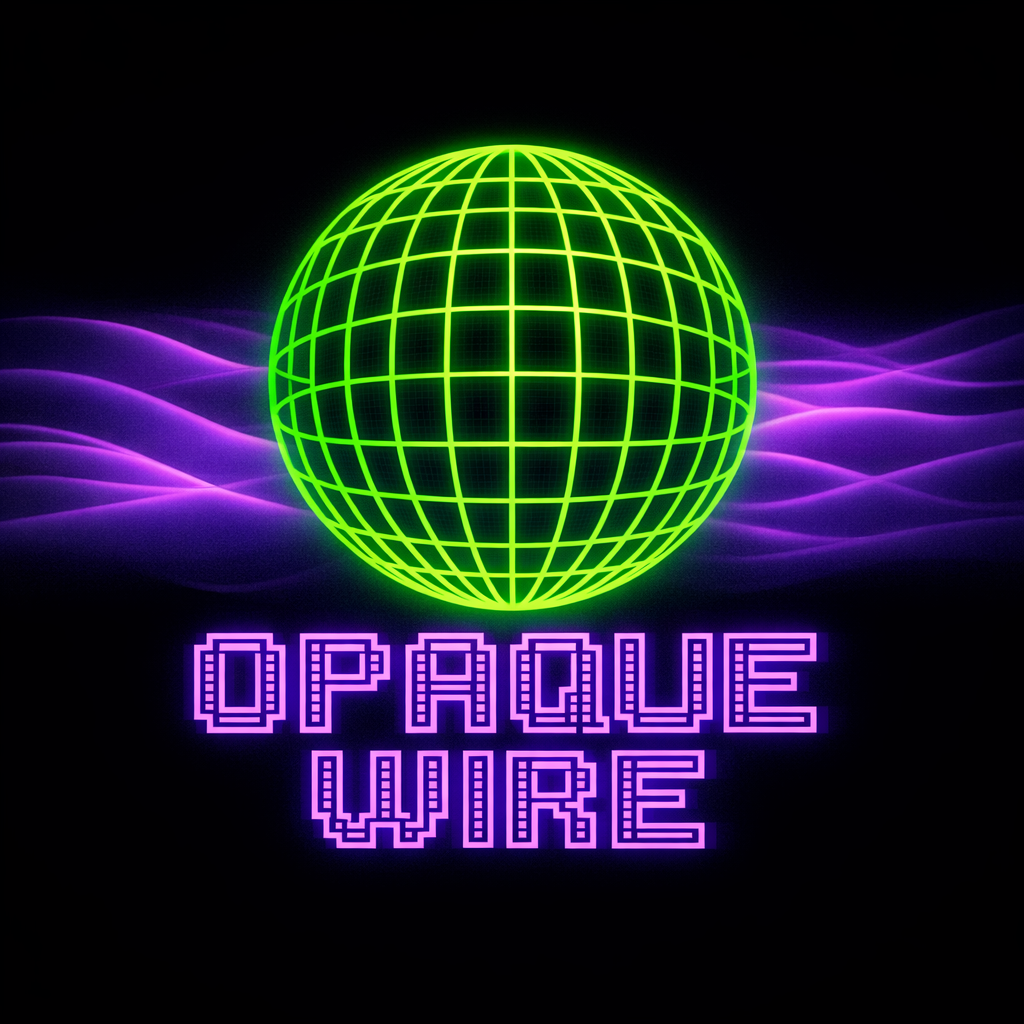
Design a logo with bright neon green wire mesh sphere on 30 percent opaque background of waves with neon purple text Opaque Wire using google font Bitcount Grid Double
Result:
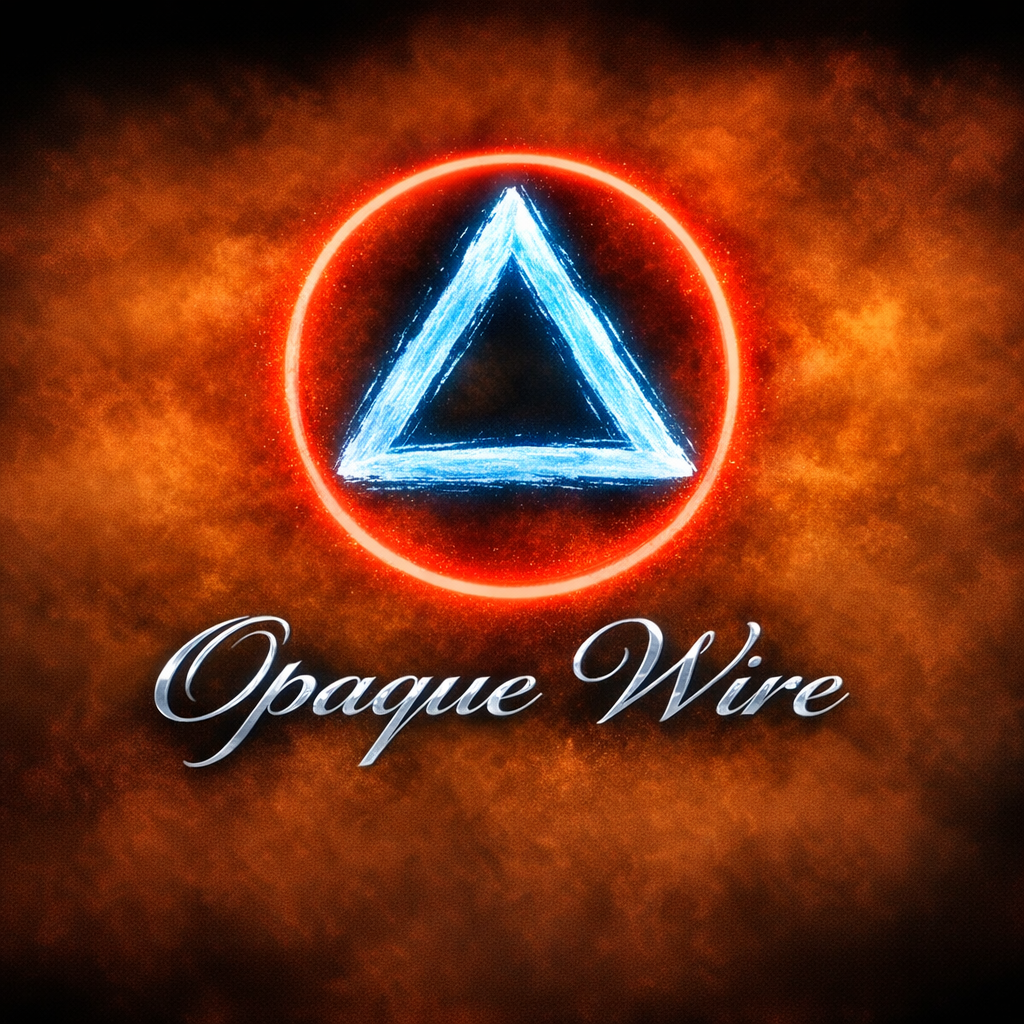
Design a logo with 10 pixels thick brush stroke creating icy blue triangle inside a red glowing ring on a background of orange mist with metallic text Opaque Wire using google font Pinyon Script
Result:
A little more complex logo design idea generated by Copilot... Yeah, I know Copilot is a clear winner here, but I just wanted to give you ideas how to ask... The question was following: describe in text a logo with your creativity
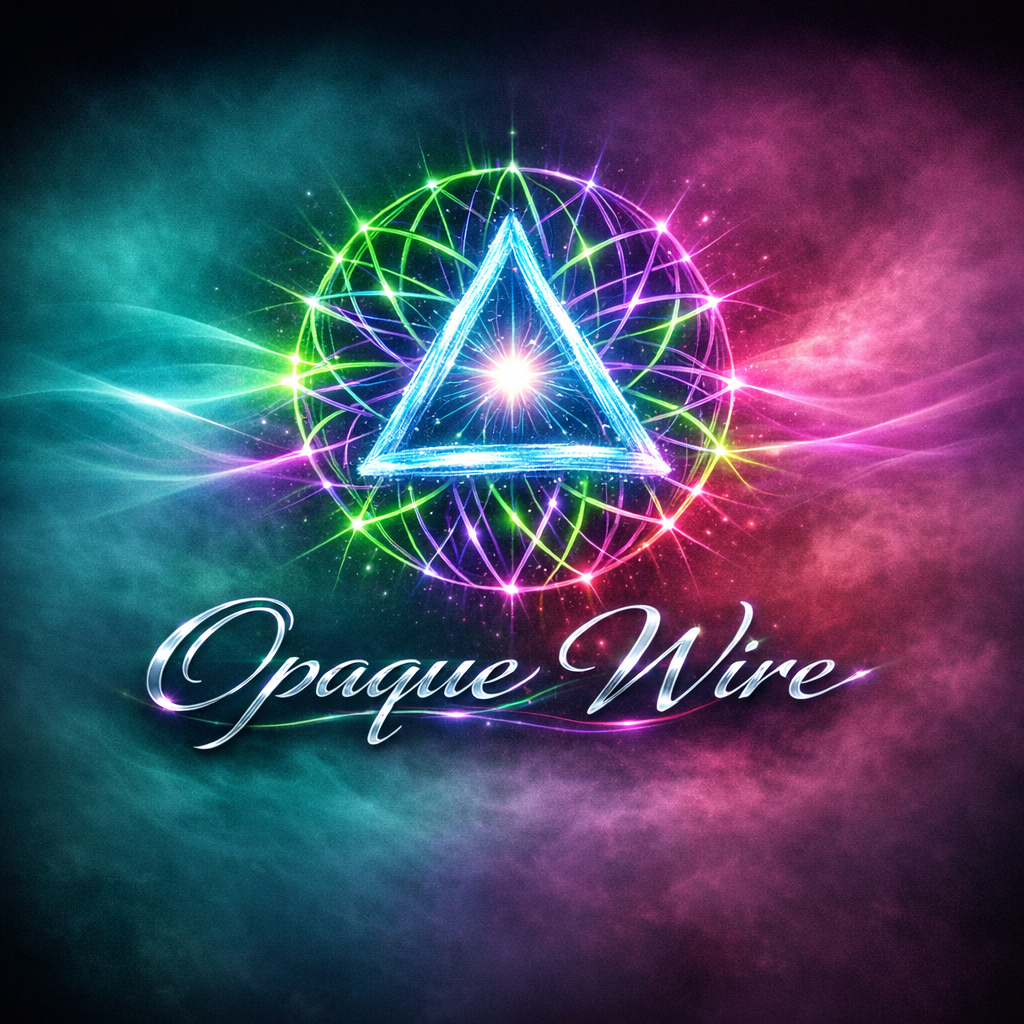
Design a logo that feels alive a fusion of light, motion, and meaning. At its center, a luminous core pulses like an electric heartbeat, radiating thin filaments of energy that weave outward into a wire like lattice. Each strand glows in alternating hues of neon green and violet, symbolizing the tension between clarity and mystery opaque yet wired. Behind it, a soft gradient mist drifts in waves of teal and magenta, evoking digital depth and motion. The typography Opaque Wire curves elegantly in a futuristic script, metallic yet fluid, as if etched by light itself. The letters shimmer with subtle reflections, suggesting circuitry and creativity intertwined. The overall composition feels like a portal a brand that connects the tangible and the ethereal, technology and artistry, precision and imagination.
Result:
Result:
Design a logo with 10 pixels thick brush stroke creating icy blue triangle inside a red glowing ring on a background of orange mist with metallic text Opaque Wire using google font Pinyon Script
Result:
A little more complex logo design idea generated by Copilot... Yeah, I know Copilot is a clear winner here, but I just wanted to give you ideas how to ask... The question was following: describe in text a logo with your creativity
Design a logo that feels alive a fusion of light, motion, and meaning. At its center, a luminous core pulses like an electric heartbeat, radiating thin filaments of energy that weave outward into a wire like lattice. Each strand glows in alternating hues of neon green and violet, symbolizing the tension between clarity and mystery opaque yet wired. Behind it, a soft gradient mist drifts in waves of teal and magenta, evoking digital depth and motion. The typography Opaque Wire curves elegantly in a futuristic script, metallic yet fluid, as if etched by light itself. The letters shimmer with subtle reflections, suggesting circuitry and creativity intertwined. The overall composition feels like a portal a brand that connects the tangible and the ethereal, technology and artistry, precision and imagination.
Result:
Simple Web Site Design
Simple Web Site Design Steps Using HTML and CSS
Create a Site Map and Navigation Model
Define the Purpose of The Site:
Blog, Affiliate Product Hub, Portfolio, Image or Video Driven Site
Brainstorm All Site Pages You Plan to Have on Your Website, Do Not Organize Yet, Example Raw List:
Home, About, Contact, FAQ, Services, Resources, Blog, Category Pages, Product Reviews, Affiliate Offers, Tools, Privacy Policy, Terms of Service
Group Pages Into Logical Clusters, Such As:
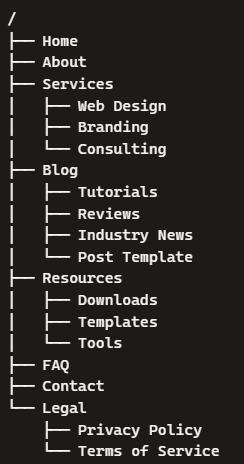
Services Sub Menus: Web Design, Branding, Consulting; Blog Sub Menus: Tutorials, Reviews, Industry News, Post Template; Resources: Downloads, Templates, Tools; Legal: Privacy Policy, Terms of Service
Finally, Create a Graphical Outline (Sitemap), Example Below:
Blog, Affiliate Product Hub, Portfolio, Image or Video Driven Site
Brainstorm All Site Pages You Plan to Have on Your Website, Do Not Organize Yet, Example Raw List:
Home, About, Contact, FAQ, Services, Resources, Blog, Category Pages, Product Reviews, Affiliate Offers, Tools, Privacy Policy, Terms of Service
Group Pages Into Logical Clusters, Such As:
Services Sub Menus: Web Design, Branding, Consulting; Blog Sub Menus: Tutorials, Reviews, Industry News, Post Template; Resources: Downloads, Templates, Tools; Legal: Privacy Policy, Terms of Service
Finally, Create a Graphical Outline (Sitemap), Example Below:
Choose a Colour Palette and Typography (Fonts)
Explore font and style selection, narrow it down to 4 to 7 types of fonts and styles that you would like to use on your website. You can research which font or special icons to use on:
GOOGLE FONTS
ADOBE FONTS
FONT AWESOME for icon research
Sample Colour Palettes:
Modern Tech Beige (Clean, Premium, Friendly): Use black for text, Soft Beige: #D9C7A3, Warm Taupe: #B89A72, Muted Clay: #A67855, Soft Sand: #F2EDE4, Muted Text: #6A645A, Beige Glow: rgba(217, 199, 163, 0.65)
Cosmic Blue (Calm / Sci-Fi / Professional): Use white for text, Cosmic Blue: #2F80ED, Aqua Glow: #56CCF2, Slate: #527B9E, Fog Gray: #DDE3E8, Muted Text: #A8B4C0, Blue Glow: rgba(47, 128, 237, 0.55)
Earth-Tech Hybrid (Natural + Futuristic): Use black for text, Forest Green: #2E7D32, Amber: #FFB300, Clay Red: #C75B39, Sand Gray: #E0DCD2, Muted Text: #6A6A6A, Green Amber Glow: rgba(46, 125, 50, 0.65)
Palette Request Question:
Generate (KEYWORD) html palette
KEYWORDS: beige, green, blue, red, orange, purple, cyan, magenta, neon, metallic blue, forest green, plasma purple, cosmic blue, rainbow, matrix green, neon magenta, neon cyan, pastel colours, frosty colours, warm colours
Create a Website Layout
AI can be of great assistance when it comes to designing a website layout, here is an example how to ask AI:
Design a website with 200 pixels deep top header including logo, 5 words mission statement and 4 menu items. The body layout consists of 3 columns, each with h1 label, 20 words narrative and 30 word main text. The footer will have year, company copyright statement and 4 links to about section, terms and conditions, faq, privacy.
Result:
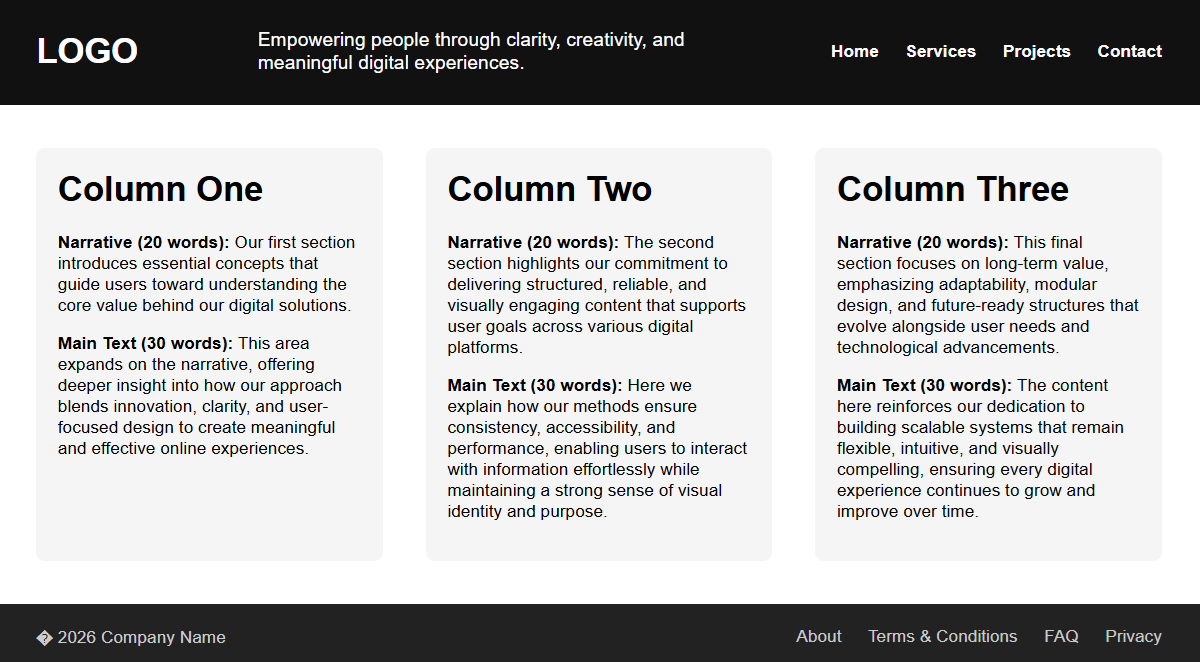
You can further refine the design with adding a few other elements, here is question 2:
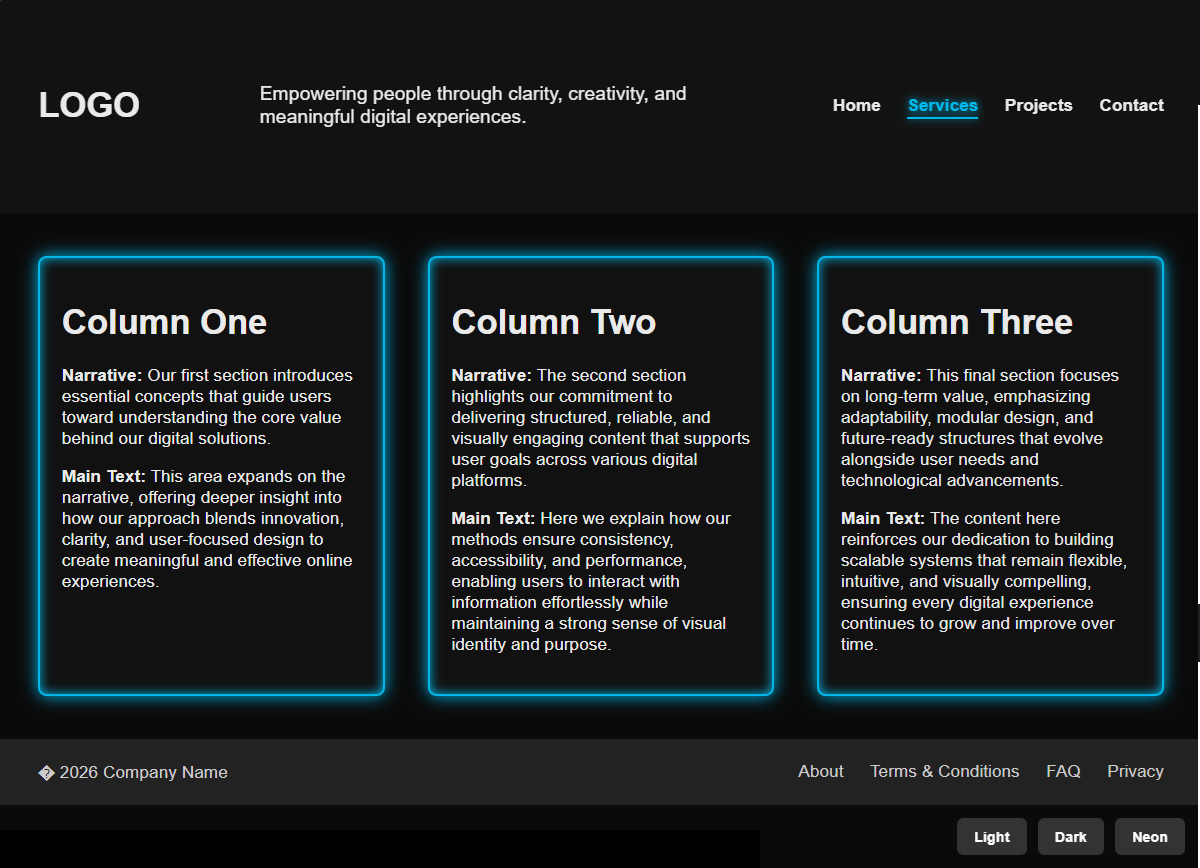
Add neon glow borders to columns, add animated menu hover effects, convert header into a sticky, semi-transparent bar, add theme switching dark/neon/light
Result:
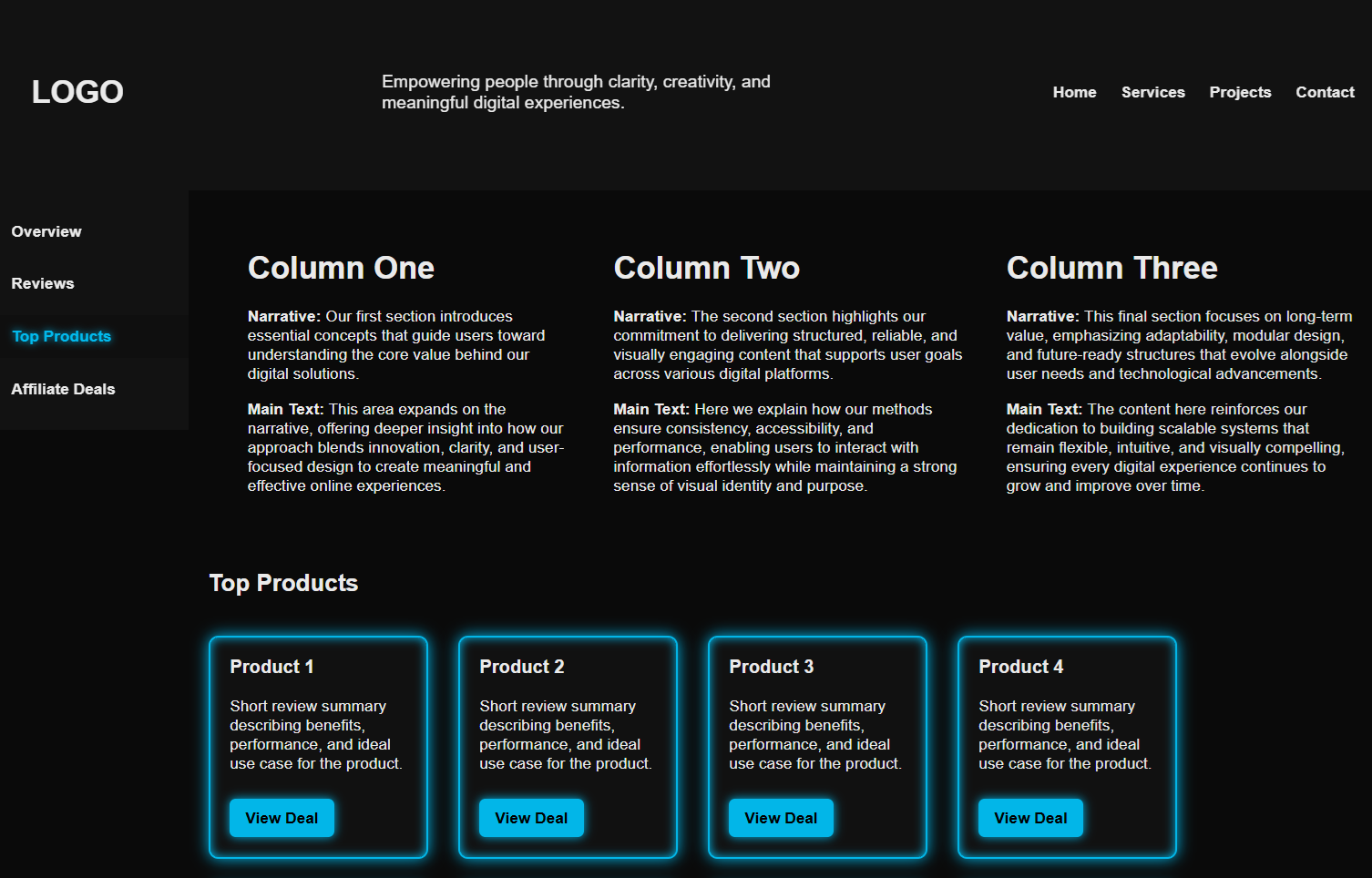
Furthermore, you can add sticky side menu and list items for your products, here is question 3:
Add sticky side menu with 4 menu items, add product review and affiliate templates for 8 items
Result:
Design a website with 200 pixels deep top header including logo, 5 words mission statement and 4 menu items. The body layout consists of 3 columns, each with h1 label, 20 words narrative and 30 word main text. The footer will have year, company copyright statement and 4 links to about section, terms and conditions, faq, privacy.
Result:
You can further refine the design with adding a few other elements, here is question 2:
Add neon glow borders to columns, add animated menu hover effects, convert header into a sticky, semi-transparent bar, add theme switching dark/neon/light
Result:
Furthermore, you can add sticky side menu and list items for your products, here is question 3:
Add sticky side menu with 4 menu items, add product review and affiliate templates for 8 items
Result:
Create Content
Once you have the basic layout, typography, palette and menus working it's time to dissect the HTML page code and replace the text to fit your own purpose.
Start with defining the purpose of the content, create a mission statement, product description, product details and replace html links with your own.
With the help of AI, you can generate some content automatically, following are some examples:
Q1: Create a product description for an affiliate website (replace with link)
Q2: Generate a story for a sci-fi game (replace with name)
Q3: Generate mini product reviews (replace with name or link)
Q4: Generate comparison table for products (replace with name or link)
Q5: Generate a story for a book review (replace with name)
You can also be more specific about the results you would like to get from AI, you can define the format, specific style, tone and personality:
Q1: The output for a specific question should be 3 paragraphs long
Q2: Generate a summary with bullet list
Q3: Generate a short, punchy tagline
Q4: Generate a energetic vibe or futuristic tone or be professional and concise or be casual, friendly and playful
Q5: Generate description in simple language for beginners
Next you can define constraints or iterations:
Q1: Use maximum of 120 words
Q2: Produce results in single line
Q3: Provide me with 5 variations
Q4: Make it shorter and more direct
Q5: Make it longer and more creative
You can also provide AI with examples from which the AI can learn instantly from your patterns:
Q1: A glowing grid of possibilities unfolds as you step into the future of design
Q2: Where the glow meets the grind
Q3: Build inside the pulse of tomorrow
Q4: Design that hums with electric intent
Q5: Unlock smoother workflows with (Product), a tool built for creators who move fast. Expect clean UI, quick setup, and features that actually save time. Perfect for beginners and pros who want results without the learning curve
Start with defining the purpose of the content, create a mission statement, product description, product details and replace html links with your own.
With the help of AI, you can generate some content automatically, following are some examples:
Q1: Create a product description for an affiliate website (replace with link)
Q2: Generate a story for a sci-fi game (replace with name)
Q3: Generate mini product reviews (replace with name or link)
Q4: Generate comparison table for products (replace with name or link)
Q5: Generate a story for a book review (replace with name)
You can also be more specific about the results you would like to get from AI, you can define the format, specific style, tone and personality:
Q1: The output for a specific question should be 3 paragraphs long
Q2: Generate a summary with bullet list
Q3: Generate a short, punchy tagline
Q4: Generate a energetic vibe or futuristic tone or be professional and concise or be casual, friendly and playful
Q5: Generate description in simple language for beginners
Next you can define constraints or iterations:
Q1: Use maximum of 120 words
Q2: Produce results in single line
Q3: Provide me with 5 variations
Q4: Make it shorter and more direct
Q5: Make it longer and more creative
You can also provide AI with examples from which the AI can learn instantly from your patterns:
Q1: A glowing grid of possibilities unfolds as you step into the future of design
Q2: Where the glow meets the grind
Q3: Build inside the pulse of tomorrow
Q4: Design that hums with electric intent
Q5: Unlock smoother workflows with (Product), a tool built for creators who move fast. Expect clean UI, quick setup, and features that actually save time. Perfect for beginners and pros who want results without the learning curve
Build the Front End HTML and CSS
Next, you can tweak your HTML and CSS code to fit your imagination, change the colours, hover behaviour, border thickness and glow, change menu positions and any other customizations you would like to make. Before any changes you make, always make a backup of your files in case you remove a piece of code that you liked. After any changes you make always preview them in browser (don't forget to refresh the page).
You can always ask AI to give you a HTML or CSS code snippet for certain parts you would like to add or replace, following are the questions to ask:
Q1: Generate a CSS code for hover links to be in larger font and glowing in purple
Q2: Generate a code for HTML header to be deeper and aligned to the right, include a link to logo image
Q3: Generate a code to increase padding on all four sides of div, change font family for h1 to google font Gasoek Oneto and increase the size to 24 pixels
Q4: Generate a code to add 30 pixels large blue rotating star animation to left menu items
Sometimes the symbols produced by AI are not showing properly so you might need to replace them with HTML code, for example the code for star ☆ is #9734; you can get the list of codes for miscellaneous symbols HERE
You can always ask AI to give you a HTML or CSS code snippet for certain parts you would like to add or replace, following are the questions to ask:
Q1: Generate a CSS code for hover links to be in larger font and glowing in purple
Q2: Generate a code for HTML header to be deeper and aligned to the right, include a link to logo image
Q3: Generate a code to increase padding on all four sides of div, change font family for h1 to google font Gasoek Oneto and increase the size to 24 pixels
Q4: Generate a code to add 30 pixels large blue rotating star animation to left menu items
Sometimes the symbols produced by AI are not showing properly so you might need to replace them with HTML code, for example the code for star ☆ is #9734; you can get the list of codes for miscellaneous symbols HERE
Register Domain and Setup Web Hosting
Steps to Register a Web Domain:
Before you register a domain with a Domain Registrar, check with your planned Web Hosting Provider as they often bundle web hosting and domain registration together.
1. Choose a Domain Registrar, common options are: Namecheap, Cloudflare, GoDaddy, Zone Edit
2. Search for your desired domain name, check for availability and price (initial and renewal)
3. Add domain to the cart, before you checkout, review following: registration period 1-10 years, auto-renew (recommended), WHOIS privacy if paid or free (also recommended)
4. Create or log into your registrar account, you will need to fill out basic contact info (required for domain ownership records)
5. Configure DNS Records, you will need to add A Record of your web server IP address (once you have also registered with a Web Hosting Company for Web Hosting Services you will be given your web server IP Address). Next, if you plan to have any sub domains such as www.yourdomain.com server1.yourdomain.com web.yourdomain.com affiliates.yourdomain.com you will need to configure CNAME records for all your subdomains. If you plan on using email hosting services you will also need to specify MX record pointing to your email server. The DNS propagation changes will take up to 24 hours globally
Before you register a domain with a Domain Registrar, check with your planned Web Hosting Provider as they often bundle web hosting and domain registration together.
1. Choose a Domain Registrar, common options are: Namecheap, Cloudflare, GoDaddy, Zone Edit
2. Search for your desired domain name, check for availability and price (initial and renewal)
3. Add domain to the cart, before you checkout, review following: registration period 1-10 years, auto-renew (recommended), WHOIS privacy if paid or free (also recommended)
4. Create or log into your registrar account, you will need to fill out basic contact info (required for domain ownership records)
5. Configure DNS Records, you will need to add A Record of your web server IP address (once you have also registered with a Web Hosting Company for Web Hosting Services you will be given your web server IP Address). Next, if you plan to have any sub domains such as www.yourdomain.com server1.yourdomain.com web.yourdomain.com affiliates.yourdomain.com you will need to configure CNAME records for all your subdomains. If you plan on using email hosting services you will also need to specify MX record pointing to your email server. The DNS propagation changes will take up to 24 hours globally
Steps to Register for a Web Hosting Service:
1. Choose a Web Hosting Provider, common options are: IONOS, WordPress, Hostinger, Network Solutions
2. Choose a web hosting type, common options are: Shared Hosting, WordPress Hosting, VPS Hosting, Cloud Hosting
3. Choose a hosting plan that will fit your needs, consider following details: Storage Amount, Allowed Bandwidth, Number of Websites you can Host, Performance Tier, Whether Email Hosting is Included, Price (Monthly vs Yearly vs 3 Years in Advance), remember that you can start with basic hosting and upscale later when the need arise
4. Choose your Domain Option: Use Existing Domain or Register a New Domain
5. Setup your Hosting Environment: Install WordPress, Deploy a Static Site (upload HTML and CSS files you have created on your computer), Activate SSL if needed
6. Connect your Domain: Change DNS records to point your domain to the hosting provider's nameservers (details about DNS registration is above)
7. Test your site
1. Choose a Web Hosting Provider, common options are: IONOS, WordPress, Hostinger, Network Solutions
2. Choose a web hosting type, common options are: Shared Hosting, WordPress Hosting, VPS Hosting, Cloud Hosting
3. Choose a hosting plan that will fit your needs, consider following details: Storage Amount, Allowed Bandwidth, Number of Websites you can Host, Performance Tier, Whether Email Hosting is Included, Price (Monthly vs Yearly vs 3 Years in Advance), remember that you can start with basic hosting and upscale later when the need arise
4. Choose your Domain Option: Use Existing Domain or Register a New Domain
5. Setup your Hosting Environment: Install WordPress, Deploy a Static Site (upload HTML and CSS files you have created on your computer), Activate SSL if needed
6. Connect your Domain: Change DNS records to point your domain to the hosting provider's nameservers (details about DNS registration is above)
7. Test your site
Optimize for SEO and Devices
After your website is live you can create an XML sitemap for SEO (This is the machine readable version that search engines use). You can generate it using: Yoeast SEO, RankMath, XML-Sitemaps.com. XML sitemap includes page URLs, last modified date, priority. Keep your XML sitemap updated (generate a new XML sitemap if you add or remove a web page, if you change your URL structure).